
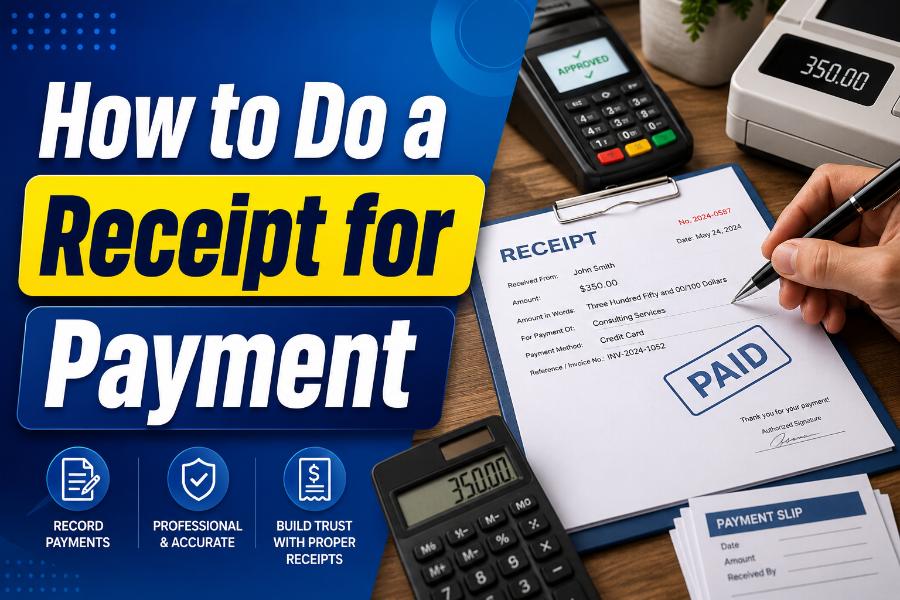
Knowing how to do a receipt for payment is essential for freelancers, landlords, contractors, retailers, consultants, service providers, and small businesses. A payment receipt confirms that money has been received for a product, service, deposit, installment, rent payment, or other transaction. It protects both sides by creating a clear record of what was paid, when it was paid, and what the payment covered.
A professional receipt does not need to be complicated. It should identify the seller and customer, show a unique receipt number, describe the transaction, state the amount received, record the payment method, and confirm the remaining balance when applicable. It should also be issued only after a real payment has been completed or clearly marked if the payment is partial, pending, refunded, or reversed.
This guide explains the complete process, including the difference between a receipt and an invoice, the information to include, examples for different payment types, recordkeeping practices, and ways to create a professional document with an online receipt maker.
What Is a Payment Receipt?
A payment receipt is a document acknowledging that a seller, business, landlord, organization, or individual received money from another party. It can be printed, handwritten, emailed as a PDF, sent by text, or generated automatically by accounting or payment software.
The receipt gives the payer evidence that the obligation was fully or partly satisfied. For the recipient of the money, it creates an internal record that can be matched with cash, bank deposits, card settlements, or online payment reports.
A receipt is usually created after payment. An invoice, by contrast, is generally sent before payment to request a specific amount. Once the invoice is paid, the business may mark it as paid and issue a separate receipt. Some platforms combine the two by providing a paid invoice that includes a link to a receipt.
Stripe, for example, explains that it creates itemized receipts when customers pay invoices or subscription charges. These receipts can include line items, discounts, and taxes, and customers can download them for their records. That workflow reflects the key purpose of a receipt: documenting a completed payment accurately.
How to Do a Receipt for Payment in 10 Steps
1. Use a clear title
Place “Payment Receipt,” “Receipt,” “Rent Receipt,” “Deposit Receipt,” or another accurate title at the top. A clear label prevents the document from being confused with an invoice, quote, purchase order, or unpaid bill.
If the payment is only part of the total, use wording such as “Partial Payment Receipt” or state the remaining balance prominently. Never label a payment as complete when money is still owed.
2. Add your business or payee information
Include the legal or trading name of the person or business receiving the payment. Add the address, telephone number, email address, website, and tax registration number when relevant.
For a freelancer or sole proprietor, a business name may be used along with the owner’s name if needed. A landlord may include the property-management name and the rental property address. The goal is to make it easy to identify who accepted the money.
3. Create a unique receipt number
Every receipt should have a unique reference number. Sequential numbering makes records easier to organize and reduces the risk of duplicates. Examples include RC-0001, PAY-2026-0158, or RENT-07-2026-023.
Avoid reusing numbers. If a receipt is canceled, keep a record of the canceled number rather than deleting it and assigning it to another transaction. Consistent numbering makes bank reconciliation, customer support, and auditing much easier.
4. Record the payment date and receipt date
State the date the money was received. If the receipt is created later, you may also include an “Issued on” date. The payment date is usually the more important record because it shows when the customer’s obligation was satisfied.
For bank transfers or checks, distinguish between the date the customer initiated the payment and the date the funds were received or cleared. A receipt should not falsely imply that uncertain funds are final.
5. Identify the payer
Add the customer’s full name or business name. Depending on the transaction, include an address, email, account number, tenant name, project name, or customer ID.
For small retail sales, identifying the customer may not be necessary. For rent, business services, deposits, reimbursements, and large purchases, it is usually helpful. Do not collect more personal information than the transaction requires.
6. Describe what the payment was for
Use plain, specific language. Instead of writing only “services,” describe the service, product, rental period, invoice number, reservation, deposit, or installment.
Examples include:
- Website maintenance for June 2026
- Rent for Apartment 4B, July 2026
- Deposit for kitchen renovation project
- Payment for Invoice INV-1048
- Three office chairs, model A20
- Second installment for consulting agreement
A clear description helps both parties understand the transaction months later.
7. Show the payment breakdown
List the quantity, unit price, subtotal, discount, tax, fee, and total when applicable. For a simple payment against an existing invoice, you may show the invoice total, amount received, and balance due.
A useful payment section may contain:
- Original amount due
- Amount paid today
- Previous payments
- Discount or credit
- Tax included
- Remaining balance
- Payment status
The arithmetic should be easy to check. If tax rules apply, confirm the required wording and registration details for your jurisdiction.
8. State the payment method
Record whether the customer paid by cash, card, check, bank transfer, mobile wallet, online payment service, gift card, or another method. For a check, include the check number. For an electronic transfer, include a limited transaction reference.
Do not print full card numbers, bank account numbers, passwords, or sensitive authentication data. A masked card reference such as “Visa ending in 4242” may be appropriate when generated securely by a payment provider.
9. Confirm the status
Use a clear status such as “Paid,” “Paid in Full,” “Partial Payment,” “Deposit Received,” or “Refunded.” If there is a balance, state the exact amount and, when appropriate, the due date.
A signature line can be included for cash payments or manual transactions. Digital receipts may use the business name, authorized issuer, or system-generated confirmation instead of a handwritten signature.
10. Deliver and save the receipt
Give the customer a copy immediately or as soon as practical. Send it through the agreed channel and keep a matching copy in your own records. PDF is often preferable for digital receipts because it preserves the layout across devices.
Store receipts in a secure, searchable system. Use a consistent filename such as 2026-07-13_RC-0158_Client-Name.pdf. Back up business records and follow any retention rules that apply to your industry or location.
Essential Information to Include
A complete payment receipt commonly includes the following details:
- Receipt title
- Unique receipt number
- Seller or payee name and contact information
- Customer or payer name when relevant
- Payment date
- Issue date if different
- Description of goods, services, rent, deposit, or invoice
- Quantity and price details when needed
- Subtotal, discount, tax, fees, and total
- Amount received
- Payment method
- Remaining balance
- Payment status
- Refund or return terms when relevant
- Signature or authorized issuer
Not every transaction needs every field. A coffee shop receipt can be brief, while a contractor’s partial-payment receipt should show the project, contract reference, prior payments, current payment, and balance.
Payment Receipt Example
A basic service receipt could read as follows:
PAYMENT RECEIPT
Receipt No.: RC-2026-0142
Payment Date: July 13, 2026
Received From: Jordan Lee
Received By: North Street Design Studio
Payment For: Website homepage design, Invoice INV-2026-073
Invoice Total: $1,200.00
Amount Received: $1,200.00
Balance Due: $0.00
Payment Method: Bank transfer
Status: Paid in Full
Authorized By: North Street Design Studio
Contact: billing@example.com
This example is simple, but it answers the most important questions: who paid, who received the payment, what it covered, how much was received, when it was received, and whether anything remains due.
How to Write a Cash Payment Receipt
Cash receipts deserve special care because cash does not automatically create a bank or card trail. Write the receipt at the time money changes hands. Count the money in front of the payer and state the exact amount in numbers. For larger or formal payments, also write the amount in words.
Include the date, payer, purpose, and signature of the person receiving the cash. Use duplicate receipt paper or create two identical copies so both parties have evidence. If the cash relates to rent, include the rental month, property address, tenant name, and any late fee or outstanding balance.
Deposit the cash promptly and connect the bank deposit record to the receipt number. Avoid creating several unrelated cash receipts with the same number or vague descriptions.
How to Make a Receipt for Card or Online Payment
Card processors and online payment platforms often generate receipts automatically. Review the settings to confirm that the business name, support contact, logo, transaction description, and refund information are correct.
The receipt should show the final charged amount and a safe payment reference. It may include a masked card brand, authorization code, or transaction ID. It should not expose sensitive card data.
For online payments connected to an invoice, include the invoice number and line items. When a payment is refunded, issue or retain a refund receipt that identifies the original transaction and the refunded amount. Stripe’s receipt documentation notes that refund receipts can be sent to the same email associated with the original charge when the relevant settings are enabled.
How to Handle Partial Payments and Deposits
A partial-payment receipt must make the remaining obligation unmistakable. Show the total amount due, previous payments, current amount received, and balance after payment.
For example:
Contract Total: $5,000
Previous Payments: $1,000
Payment Received Today: $1,500
Total Paid to Date: $2,500
Remaining Balance: $2,500
Status: Partially Paid
A deposit receipt should also explain whether the deposit is refundable, nonrefundable, or applied to the final balance. Do not use unclear language. The receipt should match the signed agreement and local law.
Receipt vs. Invoice vs. Proof of Payment
An invoice requests payment. It states what the customer owes and usually includes a due date. A receipt acknowledges payment after money is received. Proof of payment is broader and may include a bank statement, transfer confirmation, canceled check, card statement, or payment-app record.
A customer’s bank screenshot may show that a transfer was initiated, but it does not always prove the business received settled funds. The business receipt confirms acceptance or settlement from the seller’s side.
A paid invoice can sometimes serve as a receipt if it clearly states the payment date, amount, method, and zero balance. However, a separate receipt may be better for customers who need a concise payment record.
Common Receipt Mistakes to Avoid
The most serious mistake is issuing a receipt before payment is actually received. Another is marking a partial payment as paid in full. Incorrect dates, duplicate numbers, missing customer names, unclear descriptions, and mathematical errors can also create disputes.
Avoid these common problems:
- Leaving out the payment purpose
- Showing an incorrect tax amount
- Failing to state the remaining balance
- Using the same receipt number twice
- Exposing full card or bank details
- Editing a receipt without keeping an audit trail
- Deleting canceled or refunded receipts
- Using an invoice template without changing its status
- Creating a receipt for a transaction that did not occur
A receipt should never be fabricated, backdated deceptively, or used to misrepresent a purchase. Accurate documents build trust and protect legitimate businesses.
Using ReceiptMakker to Create a Payment Receipt
An online receipt maker can save time and improve consistency. ReceiptMakker is designed to help businesses and individuals create professional receipts, customize business details, add transaction information, preview the document, and download a finished copy.
Begin with a suitable payment-receipt template. Add your business name, logo, contact details, receipt number, customer information, payment date, items or services, taxes, total, payment method, and status. Review every amount before exporting the document.
Use the same numbering format and branding across all receipts. Save the final receipt in PDF or another appropriate format and keep the transaction data in your business records. A receipt maker improves presentation, but the user remains responsible for entering truthful and accurate information.
Recordkeeping and Compliance Considerations
Receipt requirements differ by country, state, industry, payment method, and tax system. Some jurisdictions require sellers to provide receipts above a certain amount or to include specific tax identification details. Landlord-tenant rules may require written rent receipts in certain situations. Charitable donation receipts may have separate legal requirements.
Because these rules vary, treat the fields in this guide as general business practice rather than universal legal advice. Check guidance from your tax authority, accountant, attorney, or industry regulator when the receipt has legal, tax, warranty, donation, medical, or regulated-business implications.
Protect stored receipts because they can contain customer names, email addresses, transaction references, and purchase histories. Limit access, use strong passwords, maintain backups, and delete records only in accordance with applicable retention requirements.
Frequently Asked Questions
Can I make a receipt myself?
Yes. You can create one with a receipt maker, accounting platform, word processor, spreadsheet, point-of-sale system, or handwritten receipt book. It must accurately represent a real payment.
Is a receipt valid without a signature?
Many digital and retail receipts are valid without a handwritten signature. A signature can still be useful for cash, rent, private sales, deposits, or transactions where both parties want additional acknowledgment.
Should a receipt include tax?
If tax applies, the receipt should usually show it clearly or state that it is included. Exact requirements depend on local rules and the seller’s tax status.
What should I write for a partial payment?
State “Partial Payment,” show the amount received, total paid to date, and remaining balance. Include the related invoice, contract, or account reference.
Can I email a receipt?
Yes. Email receipts are common and convenient. Use a stable format such as PDF and protect sensitive information.
Can a receipt be corrected?
Yes, but keep a clear record. Void or credit the incorrect document and issue a corrected receipt with its own reference or revision note. Do not silently alter business records.
Final Thoughts
The best answer to how to do a receipt for payment is to focus on clarity, accuracy, and traceability. Identify both parties, use a unique receipt number, state what the payment covered, record the date and method, show the amount received, and confirm whether the balance is zero.
Deliver a copy to the payer and retain a matching record. For recurring or frequent transactions, use a consistent receipt system rather than creating each document from scratch. A professional receipt is more than a formality: it is a practical record that reduces confusion, supports bookkeeping, and gives both parties confidence that the payment was properly documented.